![Screenshot 2024-03-12 at 11.34.19 AM.png]](https://cloud-kb.sentinelone.com/hs-fs/hubfs/Screenshot%202024-03-12%20at%2011.34.19%20AM.png?height=40&name=Screenshot%202024-03-12%20at%2011.34.19%20AM.png)
Risk Level: Low
Description
The plugin checks that the Azure Monitor account is configured along with a storage account to archive logs. The storage account archives the log and performance metrics of the monitored resources.
About the Service
Monitor: As the name suggests Azure monitor service, allows users to view and analyze all the activities around the azure platform and on-premises environment. Through Azure Monitor, users take an insight of the applications, VMs or containers, visualize the workbooks and dashboards, analyze the Metric analytics and log analytics for issues, respond to alerts and integrate logic apps and export APIs.
Impact
It is recommended to configure a storage account for the diagnostic setting so that the logs and performance metrics of monitored resources can be archived for future references and analysis.
Steps to Reproduce
- Login to the Azure portal.
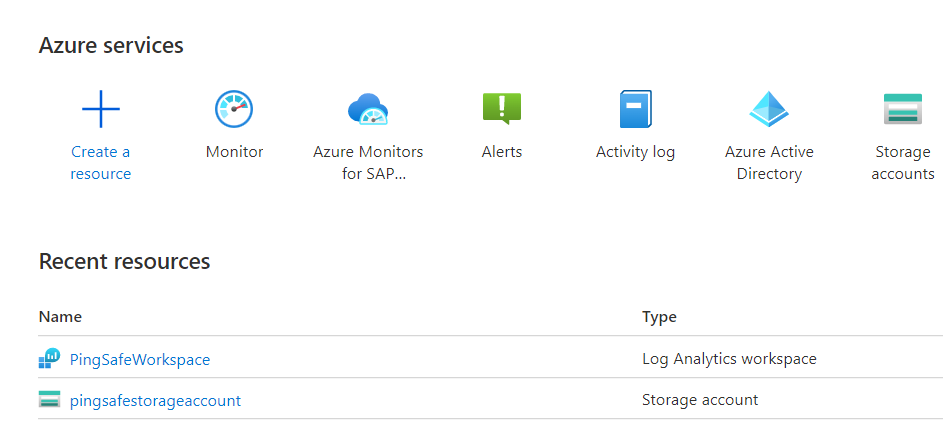
- Go to Monitor under Services or type “Monitor” in the search box.
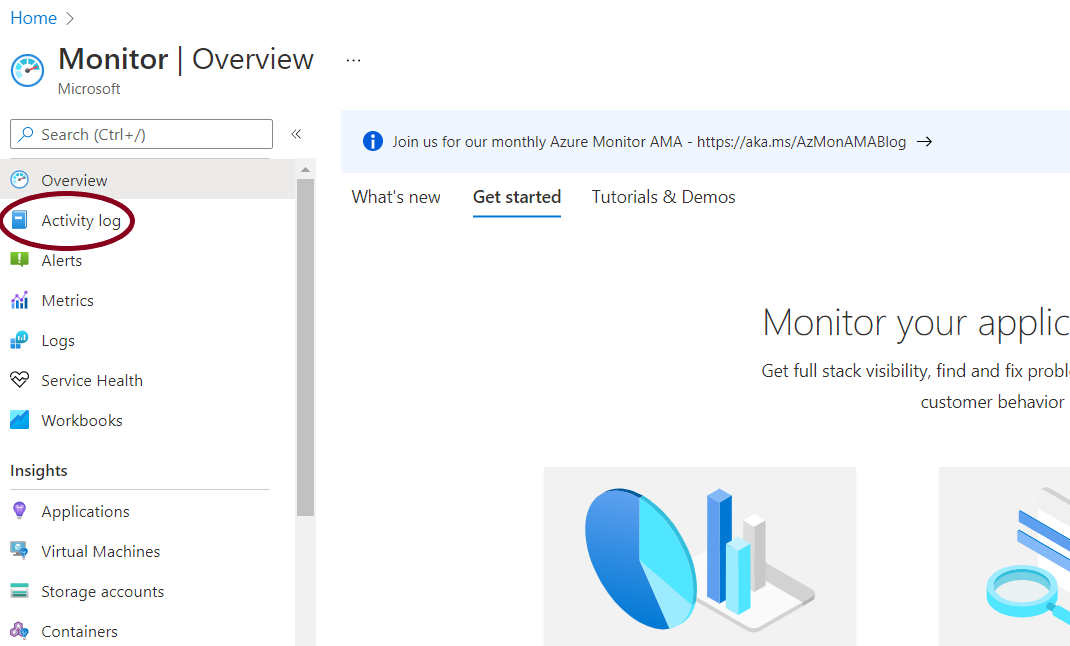
- From the navigation panel, go to Activity log.
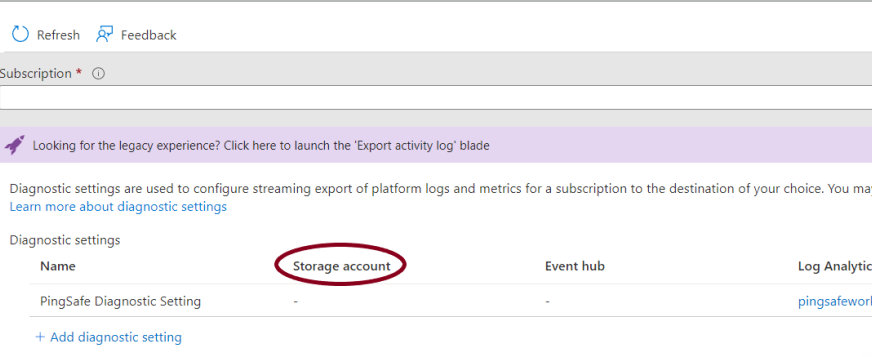
- Go to the Diagnostic tab and check that for all the diagnostic settings storage account has been specified. If not, go to the Steps for Remediation section.
Steps for Remediation
- Login to the Azure portal.
- Go to Monitor under Services or type “Monitor” in the search box.
- From the navigation panel, go to Activity log.
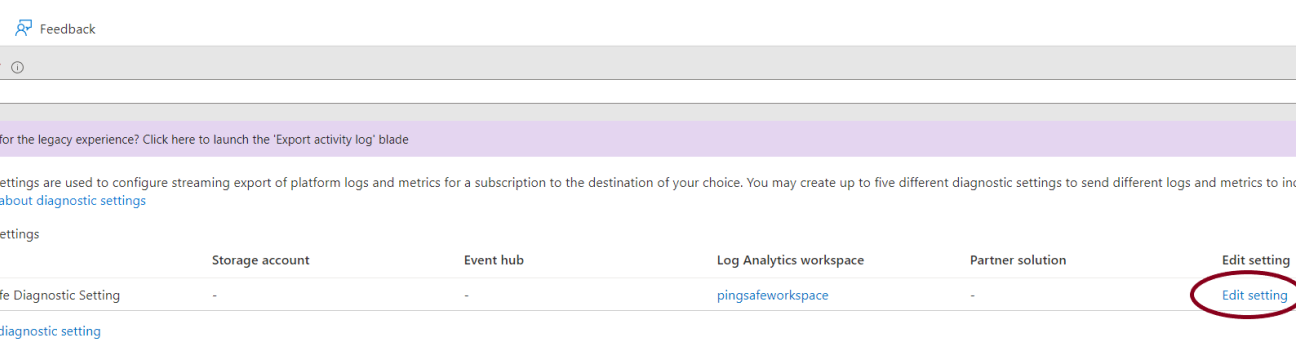
- Go to the Diagnostic tab. Click on edit settings to add a storage account for the diagnostic setting.
- Under the Destination details select the Archive to a Storage account option. Select a storage account from the drop-down menu to archive logs.
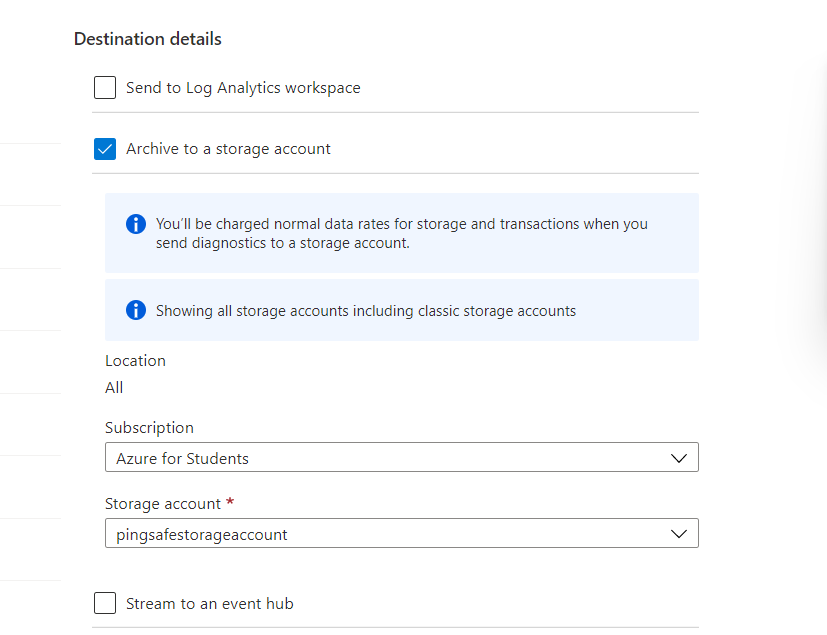
- Repeat the process for other diagnostic settings as well.
Please feel free to reach out to support@pingsafe.ai with any questions that you may have.
Thanks
PingSafe Support