![Screenshot 2024-03-12 at 11.34.19 AM.png]](https://cloud-kb.sentinelone.com/hs-fs/hubfs/Screenshot%202024-03-12%20at%2011.34.19%20AM.png?height=40&name=Screenshot%202024-03-12%20at%2011.34.19%20AM.png)
Risk Level: High
Description:
This plugin ensures DigitalOcean droplet's backup is enabled. Droplets can have backups in the form of snapshots that create a point-in-time image based on the current state of a Droplet. To avoid data loss, it is recommended to have backups for all Droplets.
About the Service :
Droplets - Droplets in DigitalOcean are linux-based virtual servers which are part of their Infrastructure as a service. A droplet represents a single server which can be created within a few minutes and can be removed after the task is finished. These droplets are scalable as per the workload and can easily be monitored.
Impact :
In the absence of backups for droplets, data stored in it will be lost permanently on the termination of droplets.
Steps to Reproduce :
- Login to the digitalocean console.
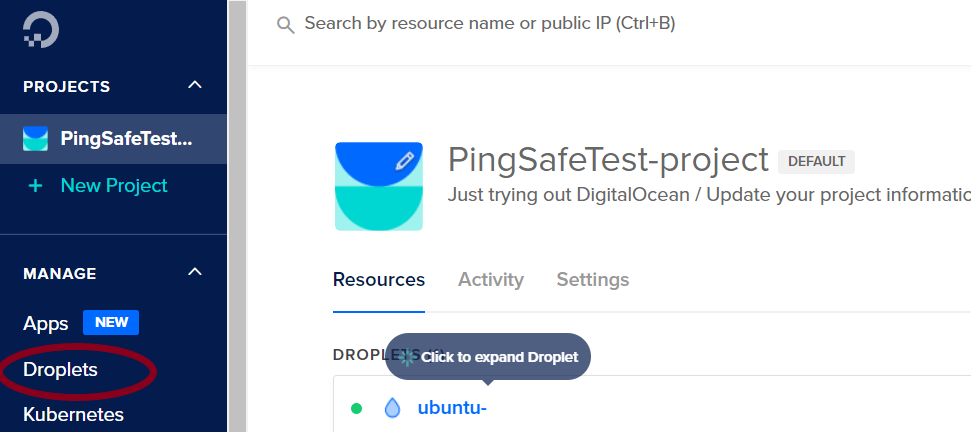
- Select Droplets under the MANAGE section.
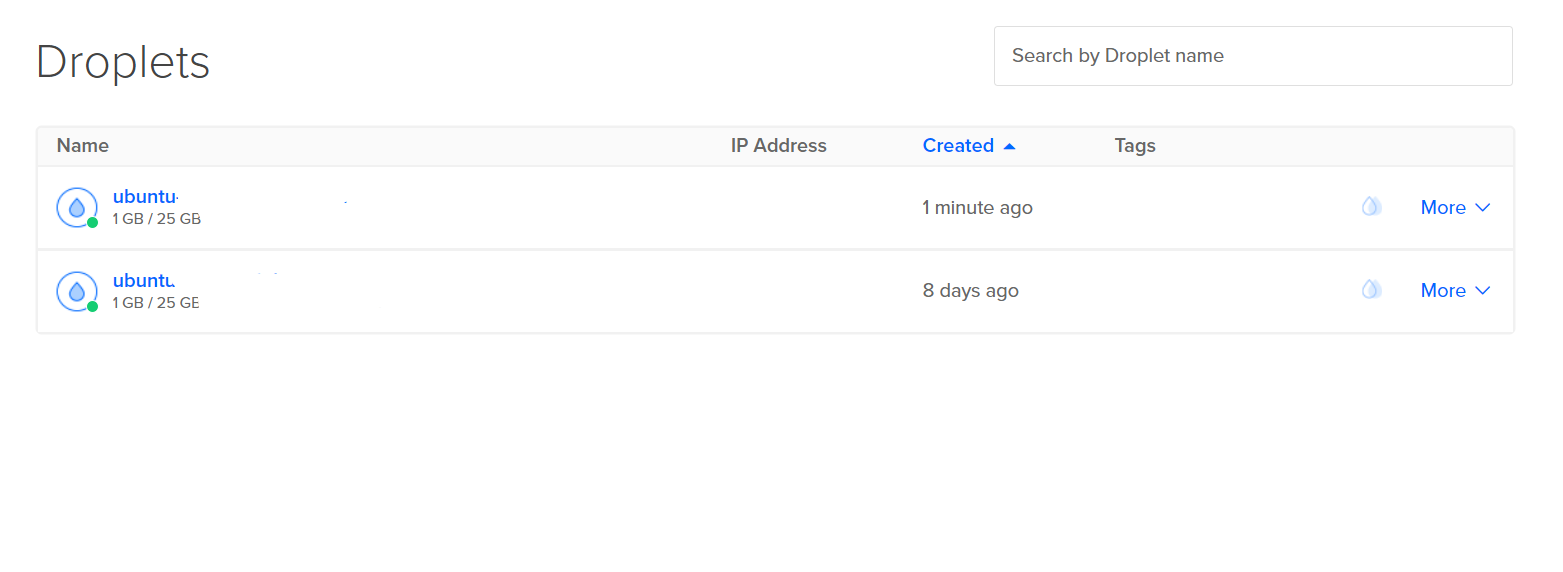
- Select the droplet to be checked.
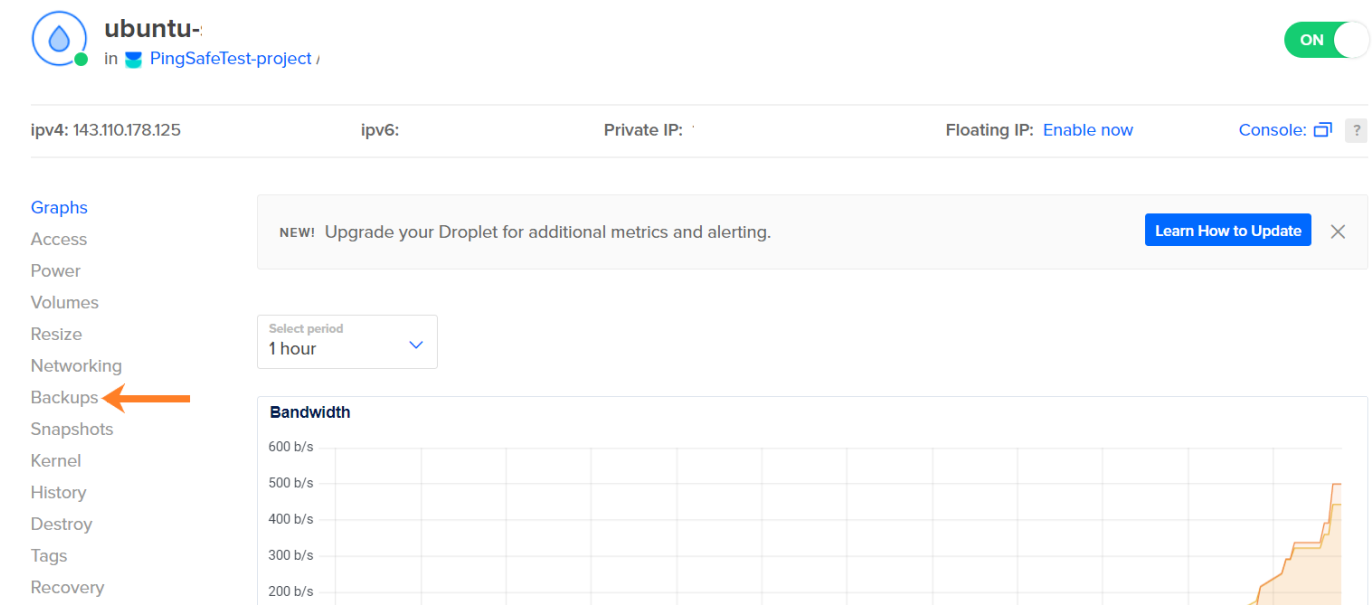
- The droplet screen will open, from the menu given at the side, click on Backups. t
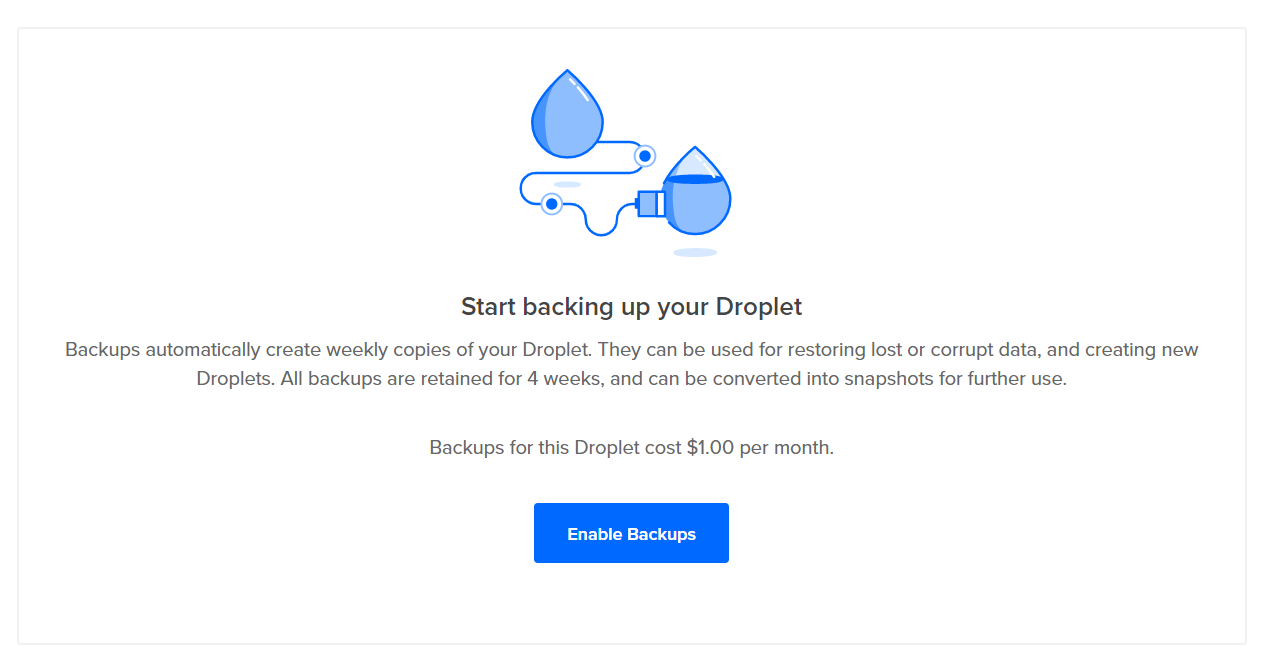
- If the enable backup option is seen, go to the Steps for Remediation section.
- Repeat the process for other droplets as well.
Steps for Remediation :
- Login to the digitalocean console.
- Select Droplets under the MANAGE section.
- Select the droplet to be checked.
- The droplet screen will open, from the menu given at the side, click on Backups. t
- Click on the enable backup option and the backup will be enabled for the droplet.
- Repeat the process for other non-backed up droplets as well.