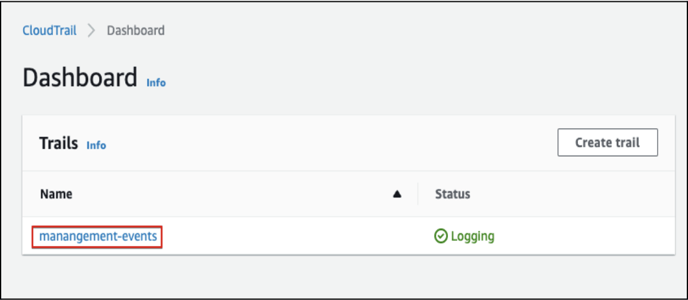
- Ensure Cloudtrail Management Events are Logging
- Navigate to the CloudTrail service: https://console.aws.amazon.com/cloudtrail/
- From the left navigation panel, Click on the “Dashboard” and ensure that the status of “management-events” is “Logging”.
- Create Athena table and attach the Cloudtrail’s logs S3 Bucket
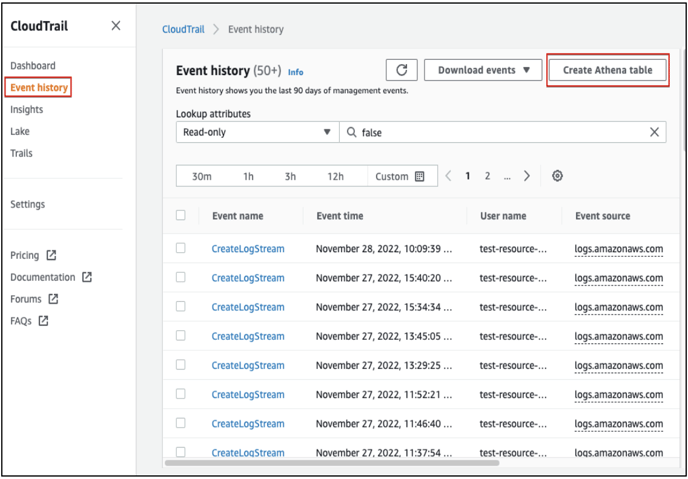
- Navigate to the Cloudtrail service and click on “Event history”.
- Click on the “Create Athena table” button and choose the “S3 Bucket” that contains the Cloudtrail log files.
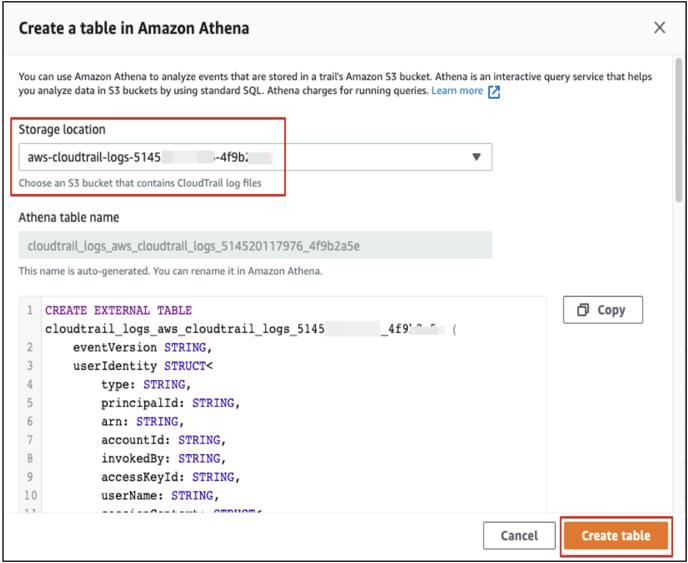
- Click on the “Create table” button.
- Query the last used details of Access Keys
- Navigate to the Athena service using the below link: https://console.aws.amazon.com/athena/home?region=ap-south-1#/query-editor/
- In Athena Query Editor, paste the following query to get the details of Access Keys last use.
-
SELECT eventTime, eventName, userIdentity.principalId
FROM cloudtrail_logs_BUCKET-NAME
WHERE userIdentity.accessKeyId = 'ACCESS-KEY-ID'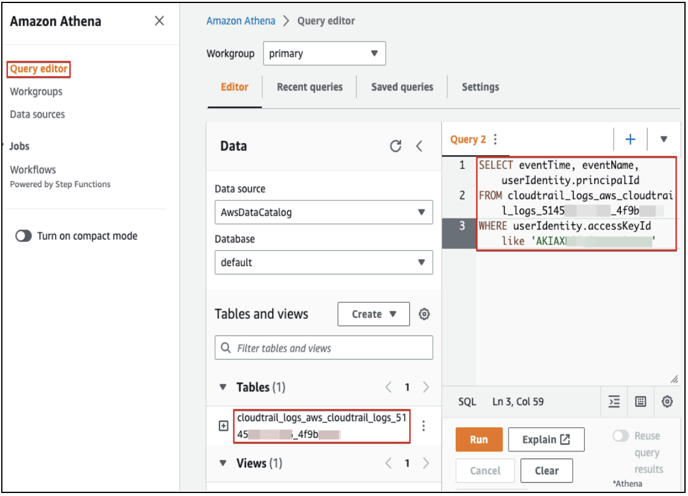
-
- Click on the “Run” button and wait for the results.
English
![Screenshot 2024-03-12 at 11.34.19 AM.png]](https://cloud-kb.sentinelone.com/hs-fs/hubfs/Screenshot%202024-03-12%20at%2011.34.19%20AM.png?height=40&name=Screenshot%202024-03-12%20at%2011.34.19%20AM.png)